
How can a company recognize that several “new” signups came from the same environment when each visitor uses a different email address and clears their cookies?
Device fingerprinting answers that question by comparing the technical signals a browser or device exposes. It doesn't identify a person by name, and it isn't a permanent serial number. Used correctly, it's a probabilistic linkage feature that helps a fraud team connect related sessions, especially when cookies disappear and burner emails multiply.
Table of Contents
- The Short Version
- How Device Fingerprinting Became Practical
- The Signals That Make Up a Fingerprint
- How a Fingerprint Becomes a Decision
- Where Fingerprinting Beats the Fraud Playbook
- Why a Fingerprint Is Not an Identity
- Can Users Actually Opt Out
- Putting It All Together
The Short Version
A device fingerprint is a collection of observable technical details that, together, can make one browser environment look different from many others. These details can include HTTP headers, browser and operating-system versions, screen resolution, timezone, language, installed fonts, plugins, cookie support, local storage, and Canvas or WebGL rendering behavior. A screening system compares the combined pattern with earlier activity rather than trusting one attribute in isolation.
The important mental model is simple:
- It recognizes an environment, not a person. The same household, office, virtual machine, or shared computer can produce overlapping signals.
- It creates a linkage clue, not certainty. Browser updates, privacy tools, changed settings, and new hardware can alter the result.
- It works alongside other evidence. Email relationships, account history, payment artifacts, and repeated behavior make a match more useful.
That makes fingerprinting valuable when a user creates one account with a normal email, consumes a free trial, deletes local storage, and returns with another address. The email changed, but the browser environment may still resemble one already associated with abuse.
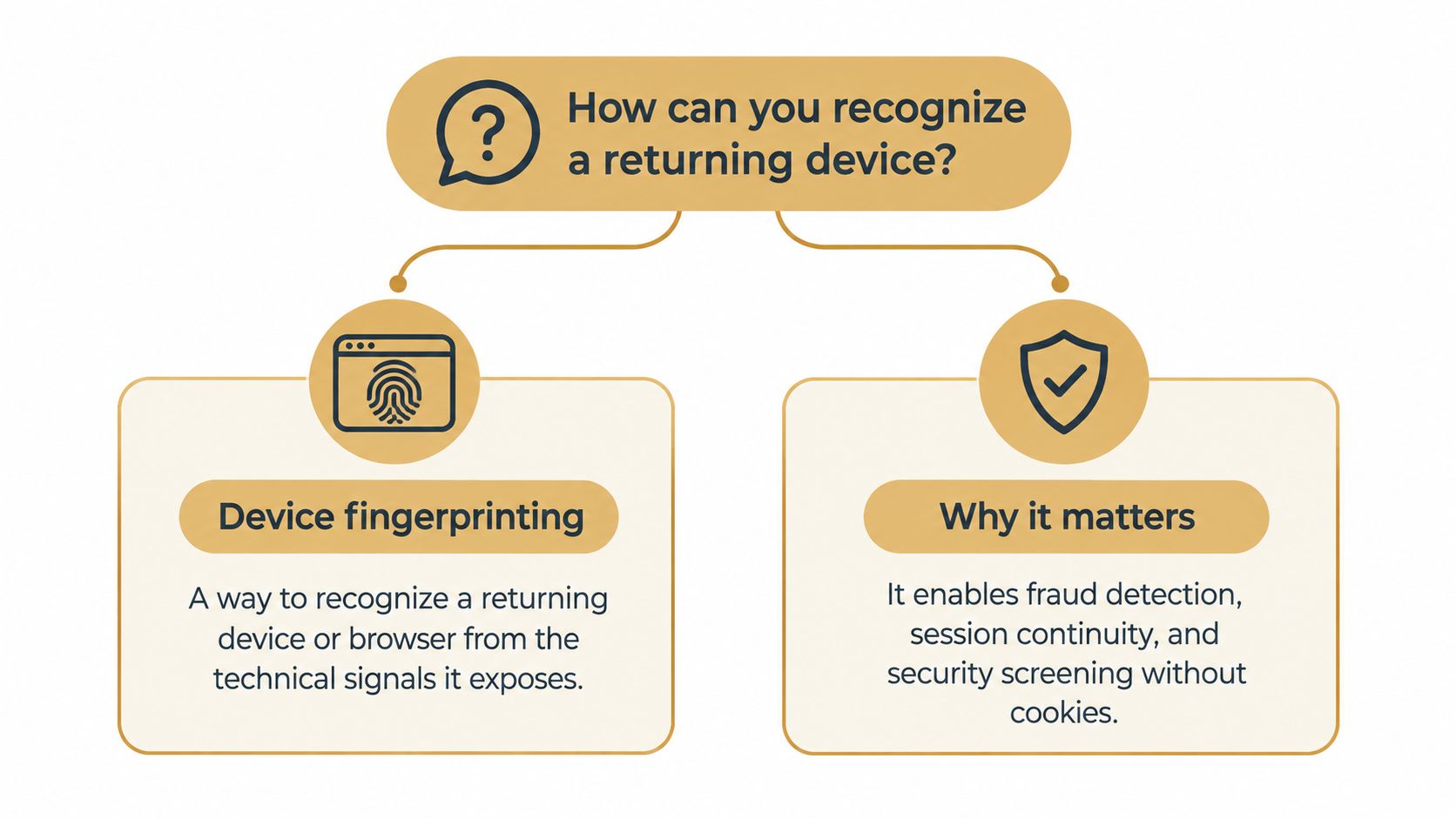
A useful one-sentence explanation for your team is: device fingerprinting compares technical signals to recognize related browser or device activity, without treating the result as a human identity.
How Device Fingerprinting Became Practical
Why could a browser configuration become useful for recognizing returning activity? Client-side scripting made that possible in the late 1990s, as websites gained access to more properties of the browser and its runtime environment. By 2003, security researchers were warning that browsers could expose large collections of parameters, a concern described in the Electronic Frontier Foundation's explanation of browser fingerprinting.
The practical turning point came in 2010, when the EFF launched Panopticlick, a public experiment measuring how distinctive browser configurations were. Researchers collected 470,161 fingerprints over roughly two weeks, and 83.6% were unique in the sample. Among browsers with Flash or Java installed, uniqueness reached 94.2%, because those technologies exposed additional attributes. The sample came from volunteers, so these figures do not describe every internet user. They did show that a browser configuration could serve as a practical tracking identifier.
Historical lesson: A fingerprint does not need to reveal a name to support useful linkage. It only needs to distinguish a recurring environment from enough other environments.
The study estimated at least 18.1 bits of identifying entropy for an ordinary browser. Within that study's distribution, about one in 286,777 other browsers would be expected to share the same fingerprint. In practical terms, the combined pattern could support continuity after someone deleted cookies or changed IP addresses.
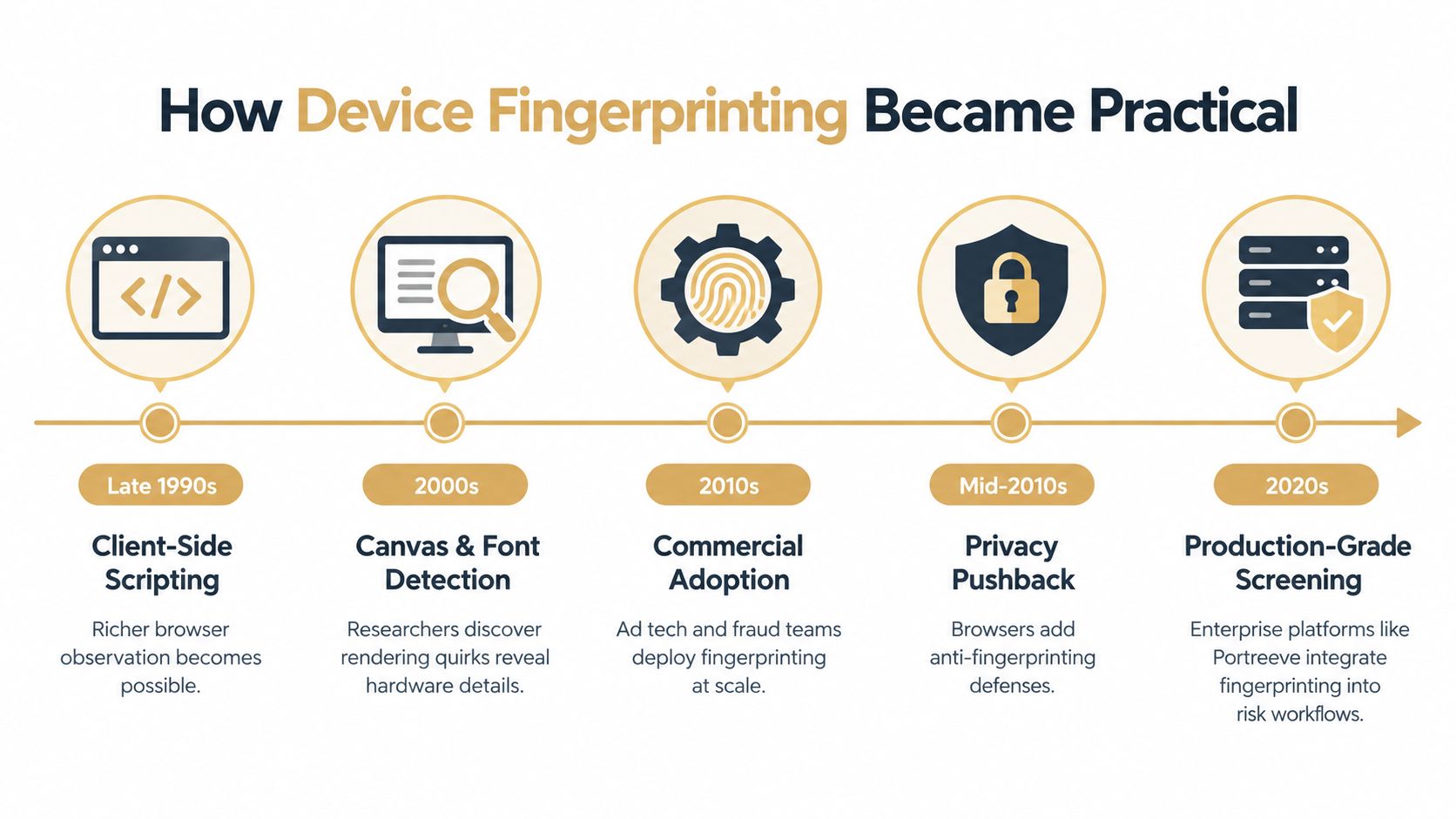
The research also showed why a fingerprint is a probabilistic linkage feature, not a permanent device identity. Software and settings can change, yet a method that recognized an upgraded version of an observed browser reached 99.1% accuracy with a 0.86% false-positive rate, as described in the Electronic Frontier Foundation's explanation of browser fingerprinting. For abuse screening, the value comes from correlated changes across sessions. A screening engine such as Portreeve can treat that continuity as one signal when identifying burner-email account cycling, rather than treating it as proof of who operates the account.
The Signals That Make Up a Fingerprint
What makes one browser environment distinguishable from another? A fingerprint combines several observations into a feature vector. Some arrive passively with a request, some require browser-side collection, and others describe the runtime environment. Two tests determine their usefulness: entropy, the ability to distinguish environments, and stability, the likelihood that a signal remains available across sessions.
Passive signals provide the starting layer
HTTP headers can expose the user-agent string, accepted languages, compression support, and other request characteristics. Network attributes add context, while cookie and storage availability indicate whether ordinary persistence mechanisms are enabled. These inputs are easy to collect, but many are shared by large groups of users.
The Panopticlick research found that the user-agent contributed about 10 bits of entropy in its sample. Plugins contributed approximately 15.4 bits, and installed fonts about 13.9 bits. Those values describe that sample, not a permanent ranking. Browser standardization and the removal of older plugin systems can change which attributes distinguish environments.
Active probes expose rendering behavior
A browser can render text, shapes, or graphics and return information about the result. Canvas and WebGL outputs may reflect differences in graphics hardware, drivers, browser implementation, and rendering paths. Font detection can indicate which typefaces are available. Screen resolution, color depth, timezone, and language provide further environmental context.
A single attribute rarely says much. Screen resolution is common, and timezone covers a broad population. Combined with rendering behavior, fonts, language settings, and browser attributes, these observations can help a screening engine link sessions that may belong to the same environment. That linkage is useful for spotting burner-email account cycling, yet it remains a probability signal rather than proof of a person's identity.
Environmental signals need careful weighting
Hardware and runtime characteristics can change. Virtual machines, corporate device management, browser updates, remote desktops, and privacy settings may alter the feature vector without indicating a different user. The W3C fingerprinting guidance describes fingerprinting as identifying or re-identifying a user agent, user, or device through observable characteristics, while emphasizing the privacy implications of combining those signals.
A user-agent-only system sees little context. A responsible screening system assesses combined signal quality, records confidence and reason codes, and gives volatile attributes limited weight. Portreeve can therefore use fingerprint continuity as one part of an abuse decision, while leaving room for account, email, payment, and behavioral evidence to change the outcome.
How a Fingerprint Becomes a Decision
Collection is only the first stage. A production screening engine needs to turn observations into a controlled identifier, compare that identifier with relevant history, and return a decision that a product can act on.
From raw observations to a tenant-scoped key
A browser integration collects permitted signals and sends them to the screening service. The service can normalize the feature vector, derive a device token, and hash or otherwise protect the resulting identity key. Tenant scoping matters because activity in one customer's application shouldn't automatically become an identity record available to another customer.
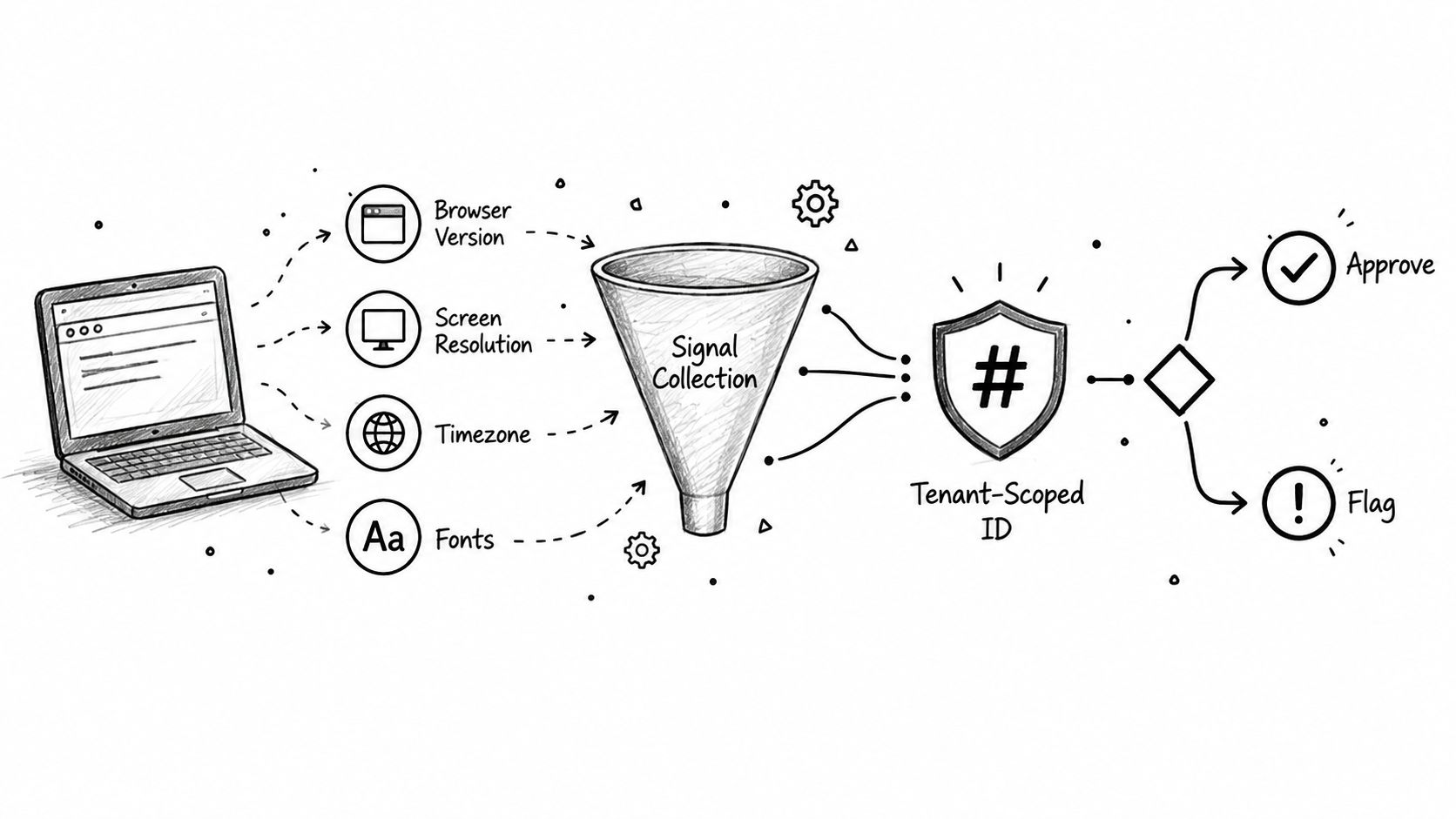
The system then compares the device token with a per-tenant abuse graph. That graph can connect device activity to email addresses, accounts, card fingerprints, and payer wallets. IP can remain contextual rather than serving as a core identity key, which helps avoid collapsing everyone behind a corporate network or shared connection into one identity.
Operational rule: A device match should increase suspicion or establish a relationship. It shouldn't decide the case without supporting evidence.
Evidence becomes an allow, review, or block outcome
Suppose a new signup uses an email address never seen before. The device token matches several earlier trial starts, and those events share a payment artifact associated with confirmed abuse. The combined evidence is materially stronger than the device match alone. If the browser token matches one ordinary account with no adverse history, allowing the signup may be more appropriate.
A system such as Portreeve can evaluate events before an action commits, attach reason codes, and return an allow, review, or block verdict in under 100 milliseconds, according to the publisher's product information. The fraud prevention and detection workflow illustrates why timing matters: a decision that arrives before account creation or payment capture can prevent downstream cleanup.
The video below gives another way to visualize how fingerprint-derived evidence can fit into a screening flow.
Cluster marking extends the value of a confirmed decision. When several identities and devices form a verified abuse cluster, the system can propagate that signal to related events while still preserving reason codes and a route to manual review.
Where Fingerprinting Beats the Fraud Playbook
The strongest use cases involve repeated activity hidden behind changing surface details. A fraudster can rotate email addresses quickly. Recreating a credible browser environment and separating every linked signal is harder, although no fingerprint is impossible to evade.
Free trials and AI credit farming
A user creates an account, consumes a free allowance, and returns with another address. If the second signup resembles a device already connected to repeated trial activity, the screening engine can route it to review or block it rather than granting another entitlement. The device signal doesn't prove abuse by itself. It makes the repeated pattern visible.
Memory depth determines how long that relationship remains useful. A per-tenant abuse graph can retain history for a configurable period from 7 days to unlimited, allowing a product team to choose between short-lived operational context and longer-term abuse continuity. Confirmed clusters can remain relevant even after individual email addresses disappear.
Account cycling with burner emails
Burner-email churn attacks a rule that checks only whether an address is new. Device linkage changes the question from “Has this email been seen?” to “Has this environment already participated in a restricted journey?” That shift is especially useful for subscription products whose free tier has real compute or support costs.
Card testing and checkout abuse
At checkout, a familiar device token combined with a new card fingerprint can indicate scripted experimentation, particularly when the same environment generates repeated failed or unusual attempts. The payment artifact and device token reinforce each other, but a shared household or office can create legitimate overlap. The e-commerce fraud prevention guidance describes this broader pattern of linking checkout evidence before payment capture.
Bot signups
Automated browsers may expose unusual or low-entropy combinations, inconsistent rendering behavior, or runtime characteristics that don't resemble normal customer traffic. A screening layer can filter suspicious signups before account creation, reducing the number of low-quality identities that reach moderation, support, or billing systems.
The practical advantage isn't theoretical uniqueness. It is the fact that a new email address doesn't erase a device's prior relationship with abuse evidence.
Why a Fingerprint Is Not an Identity
Calling a fingerprint a “device ID” creates the wrong expectation. A fingerprint can change when someone upgrades a browser, alters settings, switches networks, uses a privacy tool, moves between apps, or changes hardware. It can also overlap across people who share a device, a virtual machine template, or an enterprise-managed environment.
Research on wireless-device fingerprinting shows that models can lose substantial accuracy when deployment conditions change, including changes to the receiver, protocol, location, or channel, as discussed in research on the transferability of device fingerprinting models. The broader lesson applies to browser systems too: a model learned in one environment may not transfer cleanly to another.
Drift changes the meaning of a match
Long-term observation research found that 67.6% to 93.1% of users were trackable under tested feature sets, while the mean stability period for trackable fingerprints was approximately 3.1 to 3.4 weeks and the maximum averaged 6.8 to 8.6 weeks, according to the study of fingerprint stability and tracking. Those findings create a practical tradeoff. A short memory window can miss returning abuse after ordinary changes, while indefinite retention can preserve stale associations.
Privacy-focused browsers add further variation. Safari, Brave, and similar tools can modify or randomize Canvas, WebGL, and WebAudio values, while wider browser privacy changes reduce the entropy available to traditional fingerprints. A mismatch may reflect a legitimate privacy choice, not a new user. A match may reflect a shared environment, not the same human.
Engineering standard: Use fingerprint evidence for linkage and step-up review. Give greater weight to corroborated history, account relationships, payment artifacts, and repeated behavior.
Teams designing password and device defenses should treat the fingerprint as one input among several. The discussion of password and fingerprint risk controls reinforces the need for layered decisions rather than a single immutable identifier.
Can Users Actually Opt Out
Deleting cookies can remove one form of persistence, but it doesn't necessarily prevent a website from observing browser and device characteristics during a new session. Texas A&M researchers reported that fingerprint-based tracking continued after cookies were cleared and was observed even for users who had opted out under GDPR or CCPA, with privacy-focused browsers not fully preventing the practice, according to the Texas A&M report on browser fingerprinting.
That finding separates two questions. Users may express a legal or platform preference, while a website may still technically observe signals exposed during a request. Whether a particular use is lawful depends on its purpose, notice, consent, identifiability, retention, sharing, and jurisdiction. Security screening for a first-party service is materially different from covert cross-site advertising surveillance, even when both use related technical observations.
A 2025 study also found that automated crawls missed nearly half of fingerprinting websites identified in real browsing, while real sessions exposed additional fingerprinting vectors, as described in the Texas A&M report linked above. That makes accurate documentation and testing important. A compliance review based only on automated browsing may not capture what a real customer session reveals.
A privacy-respectful abuse system should follow practical boundaries:
- Minimize collection: Gather only the attributes needed for the stated security purpose.
- Scope identifiers: Hash derived keys and keep them isolated per tenant.
- Limit retention: Choose a bounded memory window where indefinite history isn't necessary.
- Explain decisions: Provide reason codes and a review path when device-linked evidence affects access.
- Avoid universal identity claims: Treat the token as corroborating evidence, not a hidden name.
Users may not be able to make fingerprinting technically impossible while visiting a website, but product teams can decide whether their own implementation is narrow, transparent, and proportionate.
Putting It All Together
Device fingerprinting earns its place in a fraud stack when a team treats it as probabilistic linkage, not permanent identity. Before choosing a vendor or building a service, verify that it supports:
- Entropy-weighted signals: More than a user-agent string.
- Deterministic verdicts: Clear allow, review, or block outcomes.
- Reason codes: Evidence that investigators can understand.
- Configurable memory: Retention suited to the abuse pattern.
- Cluster marking: Propagation of confirmed relationships.
- Hashed, tenant-scoped keys: Isolation by customer and purpose.
- Privacy-browser handling: Cautious interpretation of drift and mismatches.
- A review queue: Human adjudication for ambiguous cases.
| Signal Category | What It Tells You | How to Weight It |
|---|---|---|
| Browser and device fingerprint | Whether sessions resemble the same technical environment | Strong linkage clue, not proof |
| Email and account history | Whether identities repeat or cycle | Useful corroboration |
| Card fingerprint and payer wallet | Whether payment relationships connect events | High-value supporting evidence when relevant |
| Behavior and event history | Whether activity follows an abuse pattern | Essential for context |
| IP and network context | Where traffic appears to originate | Contextual signal, not universal identity |
Portreeve provides inline screening for signups, trials, checkouts, and logins, linking device tokens with email, account, payment, and wallet evidence before returning a verdict. If account cycling or trial abuse is distorting your product metrics, visit Portreeve to evaluate a screening workflow built around tenant-scoped identity, reason codes, and reviewable decisions.